
You may be familiar with the saying that “not all backlinks are created equal.” This is quite an understatement; some backlinks make your rankings go up, some do absolutely nothing, and there is yet another kind that you should pay close attention to since it does more harm than good—toxic backlinks. If you have a persistent number of such backlinks on your website, then you better get ready to face the music.
And now, let’s talk about the truth behind the scenes that SEO blogs are too polite to mention. A few spammy backlinks are not going to bring your website down because Google just ignores them.
The things that will really put your website in danger are patterns, manipulation, mass link building and purchasing, private blog networks, and excessive use of exact-match anchor texts. This is what our guide is all about.
No tricks. No lies. Just a straightforward description of what toxic backlinks are, why they are important, and how experienced SEO specialists deal with them.
What Are Toxic Backlinks?
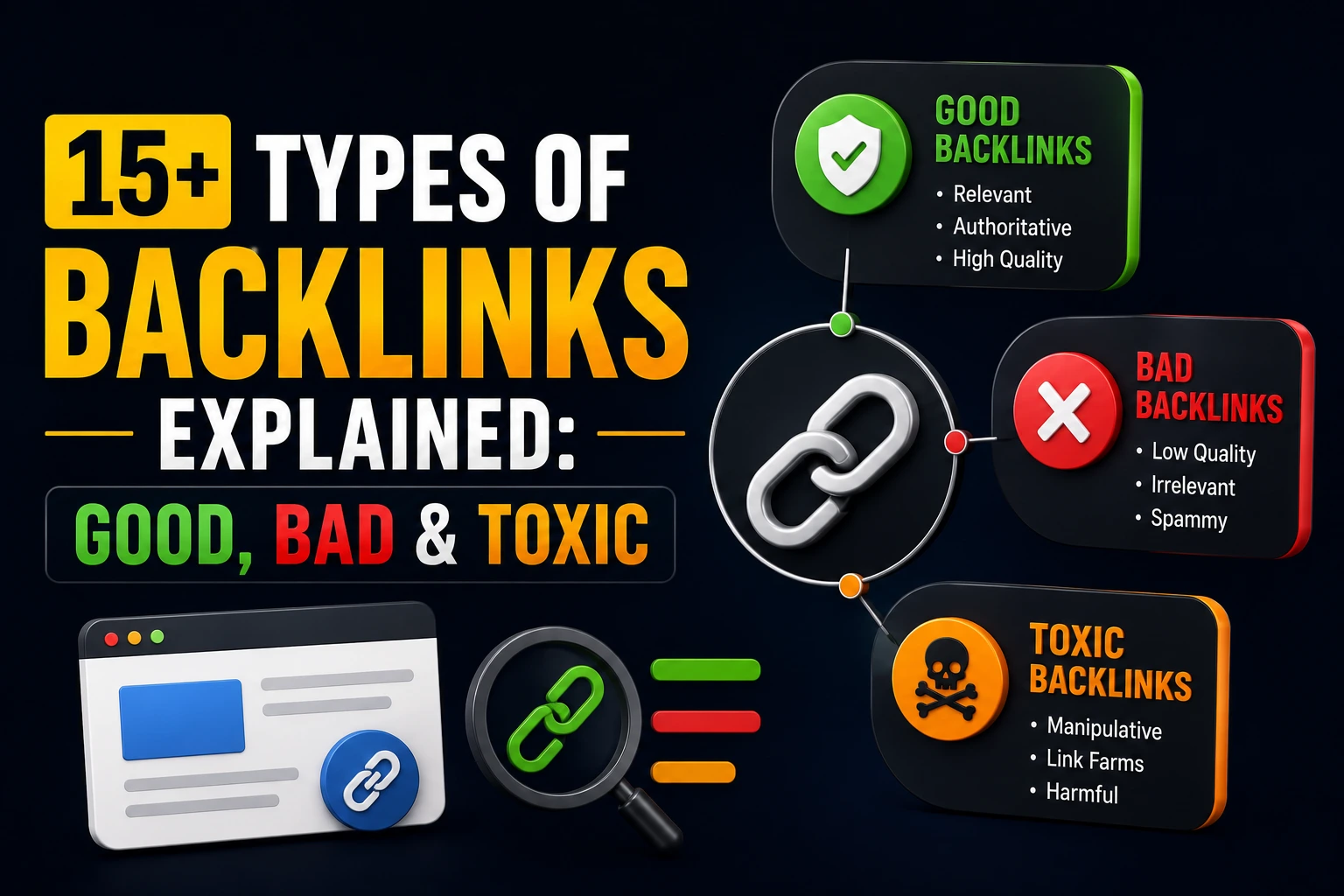
Toxic backlinks are poor-quality or spammy and manipulative links to your website that have the ability to hurt your search engine rankings.
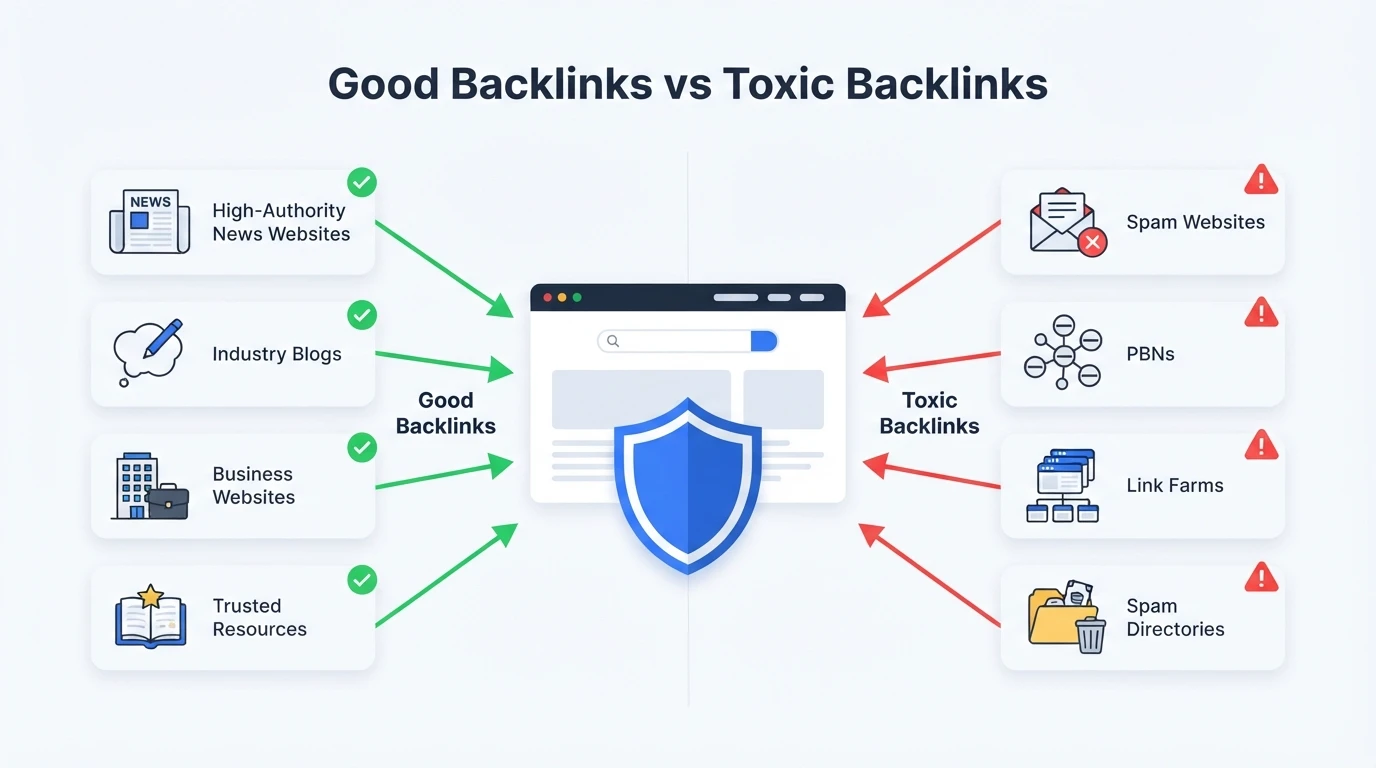
In other words, when Google reviews your website, it takes into consideration the company that you keep. Good links from reputable and relevant websites will send the right signals. Link farms, PBNs (Private Blog Networks), spammy directories, and websites built solely to create backlinks are something entirely different.
Here’s what typically qualifies as a toxic backlink in practice:
- Low-quality or irrelevant domains: A DR 2 domain about pet grooming linking to your B2B SaaS site using “best crypto software” as anchor text is not something Google interprets favorably.
- Suspicious TLDs at scale: A sudden wave of links from .xyz, .info, .top, .loan, or .tk domains is unusual for any legitimate website. One or two won’t register. Dozens appearing in a short window is a different story.
- Link farms and PBNs: Created with only one goal: To buy and sell links. They normally feature poor-quality content, many outbound links per page, and the website templates that look almost the same.
- Automated spam links: Links created by bots such as blog comments, profile pages on forums, or directory submissions never looked through by humans. Google does not value them at all.
- Excessive use of exact match anchor text: When 70-80% of your links are using your targeted keywords as the anchor text, this is not how natural links would be distributed for you.
- Niche irrelevant links: Adult, gambling, pharmaceutical, and payday loan-related content links directed to your site en masse and having absolutely no relevance to the niche.
However, it should be mentioned that not all poor-quality links automatically mean a penalty from Google. Their filters are intended to ignore suspicious links. The problem occurs when suspicious links appear in a systematic way in your link profile.
Do You Have to Remove Toxic Backlinks?
Probably not, and this is where the conversation gets more nuanced than most articles admit.
Google processes billions of links. Its spam detection systems are genuinely good at identifying low-quality links and simply setting them aside.
The random comment link on a forum, the obscure directory submission, and the DR 1 site in a completely unrelated language get neutralized. They don’t help your rankings, but in most cases they don’t hurt them either.
The situation changes under specific conditions:
- You purchased hundreds of links from the same types of sources
- Your anchor text distribution is heavily weighted toward exact match money keywords
- A significant portion of your links come from sites that are clearly part of a private blog network
- Google has already sent you a manual action through Search Console
Outside of those scenarios, an aggressive disavow campaign can cause more damage than the links themselves. Removing links that were quietly passing authority to your site will show up in your rankings. The goal is informed action, not reflexive cleanup based on scary numbers from an automated tool.
The question worth asking before doing anything is simple: Is this an isolated occurrence or part of a broader pattern of manipulation? That answer determines everything else.
When Should You Disavow Toxic Links?
Disavow is a tool that enables you to ensure that the algorithm does not follow particular links from your website. This is a very important tool, which at the same time can cause serious damage when used improperly.
So now I will explain the situations in which the use of “disavow” is required.
The site has been penalized by Google for having unnatural links. If Google has found that your website has unnatural links and detected it using Search Console, the only way to go forward is to clean your backlinks and to make a reconsideration request.
The site has become a victim of a negative SEO attack. Your competitors or someone else decided to link to your domain a huge number of low-quality links in a short period of time.
You’ve built manipulative links at scale. Previously worked with a cheap SEO agency that blasted PBN links? Bought link packages from Fiverr-style platforms? Cleaning that up before Google detects the pattern on its own is a smart and proactive move.
Your good-to-bad link ratio is genuinely alarming. If roughly half or more of your backlinks look spammy, that’s a signal worth taking seriously.
What disavowing should never be is a panic response to a high toxicity score from a third-party tool. Those scores are built on proprietary metrics that do not reflect how Google actually evaluates links. Reacting to them without doing your own manual review has led many site owners to unnecessarily remove links that were helping them.
Will Low-Quality Links Get You Penalized?
Not automatically, and this is the part that surprises most people.
Google’s algorithm is sophisticated enough to distinguish between links that are part of a calculated manipulation scheme and links that simply exist on a low-quality page. The second category is largely ignored. The first, when detected at scale, is what leads to actual penalties.
What the algorithm is specifically watching for:
- A sudden surge of links pointing at the same page using identical or near-identical anchor text
- Hundreds of links from domains with the same site template and hosting provider (PBN footprint)
- Links from sites that have already been algorithmically penalized or deindexed
- A backlink profile that looks nothing like what a real brand in your industry would naturally earn over time
The bar for receiving a manual penalty is meaningfully higher than most SEO content suggests. A few low-quality links scattered across an otherwise healthy profile are not going to trigger a review. The sites that get hit are typically running obvious, large-scale manipulation with clear footprints.
The most effective long-term strategy isn’t just removing bad links. It’s building enough high-quality, contextually relevant, natural-looking links that any low-quality ones become statistically insignificant. When you have 500 solid editorial links from relevant sites with real traffic, 20 spammy comment links become noise, not a liability.
How to Find Toxic Backlinks With Different Tools?
Knowing that toxic links exist and knowing how to find them in your own backlink profile are two different skills. Here’s a practical look at the tools most SEOs actually use for this work.
Identifying Toxic Backlinks With Ahrefs
Ahrefs remains one of the most trusted backlink analysis platforms available. Start in Site Explorer → Backlinks and filter strategically:
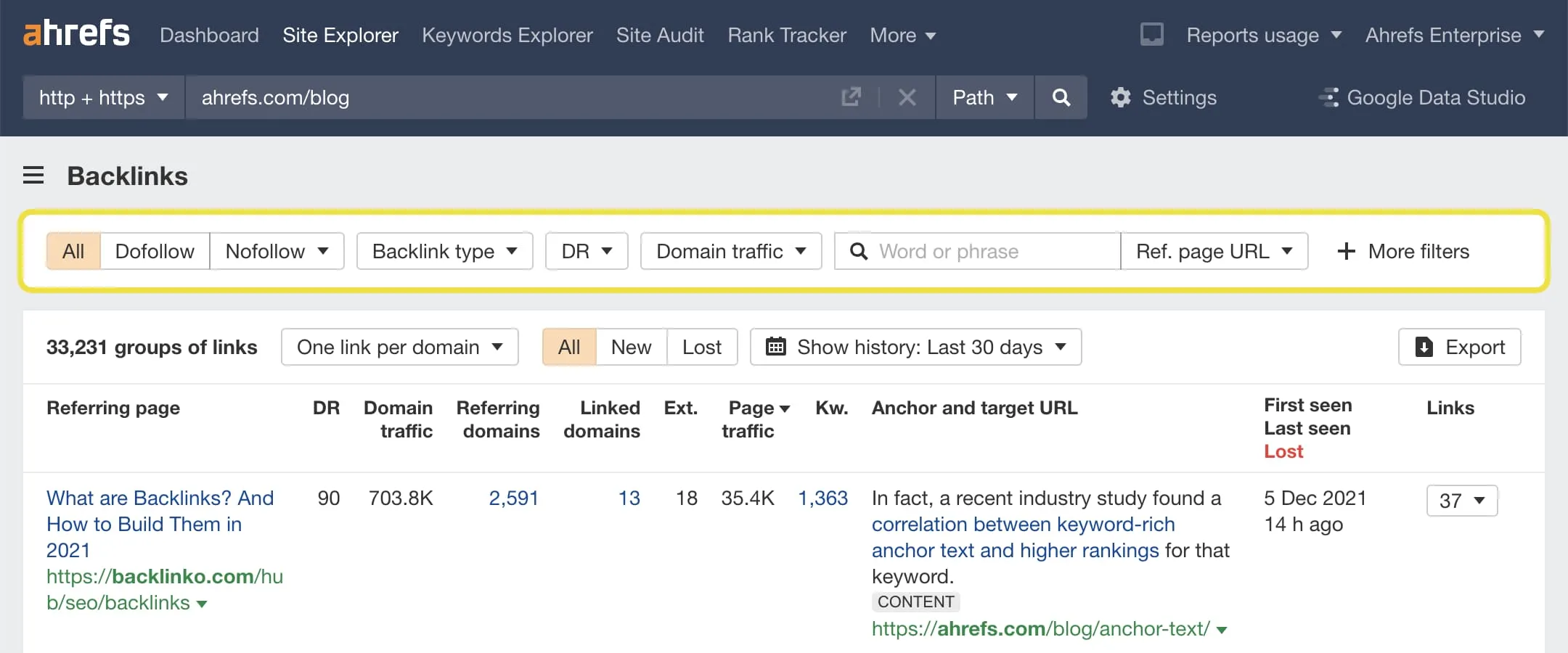
- Domain Rating (DR): Focus on links from sites with a DR below 10. Not automatically toxic, but worth a closer look.
- Traffic: Links from sites with zero organic traffic are a significant warning sign. Real websites attract real visitors.
- Anchor text: Pull your full anchor text report and look for overconcentration around exact-match keyword phrases.
- Link clusters: If many of your links share the same IP block, hosting provider, or near-identical site templates, that’s a PBN footprint worth flagging.
One thing worth appreciating: Ahrefs doesn’t give you a toxicity score. That might feel like a limitation at first. In practice, it means you’re actually reviewing your links rather than outsourcing that judgment to an algorithm that can’t understand context.
Identifying Toxic Backlinks With Semrush
Semrush includes a dedicated backlink audit tool with a built-in toxicity score, making it a useful starting point.
- Run a full audit from the Backlink Audit section
- Filter results by toxicity score; links scoring 60 or above are worth reviewing manually
- Look at the specific signals Semrush flags: follow vs. nofollow ratio, anchor text patterns, site category
- Use the built-in option to send suspicious links directly to a disavow file
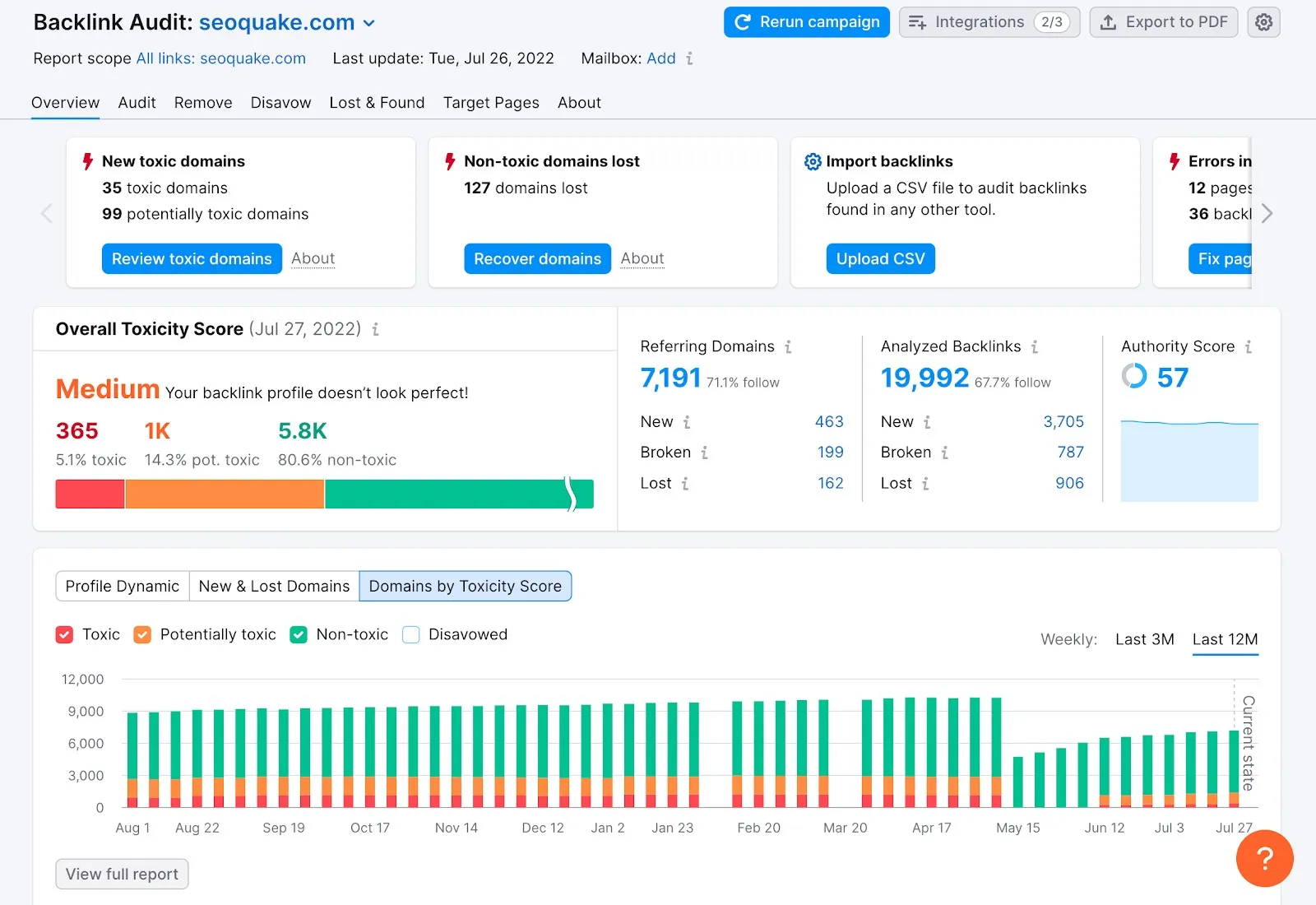
Important caveat: Semrush’s toxicity scoring is a starting filter, not a final verdict. Legitimate links get flagged regularly. Genuinely harmful ones sometimes slip through. Manual review before disavowing anything is not optional.
Identifying Toxic Backlinks With Moz
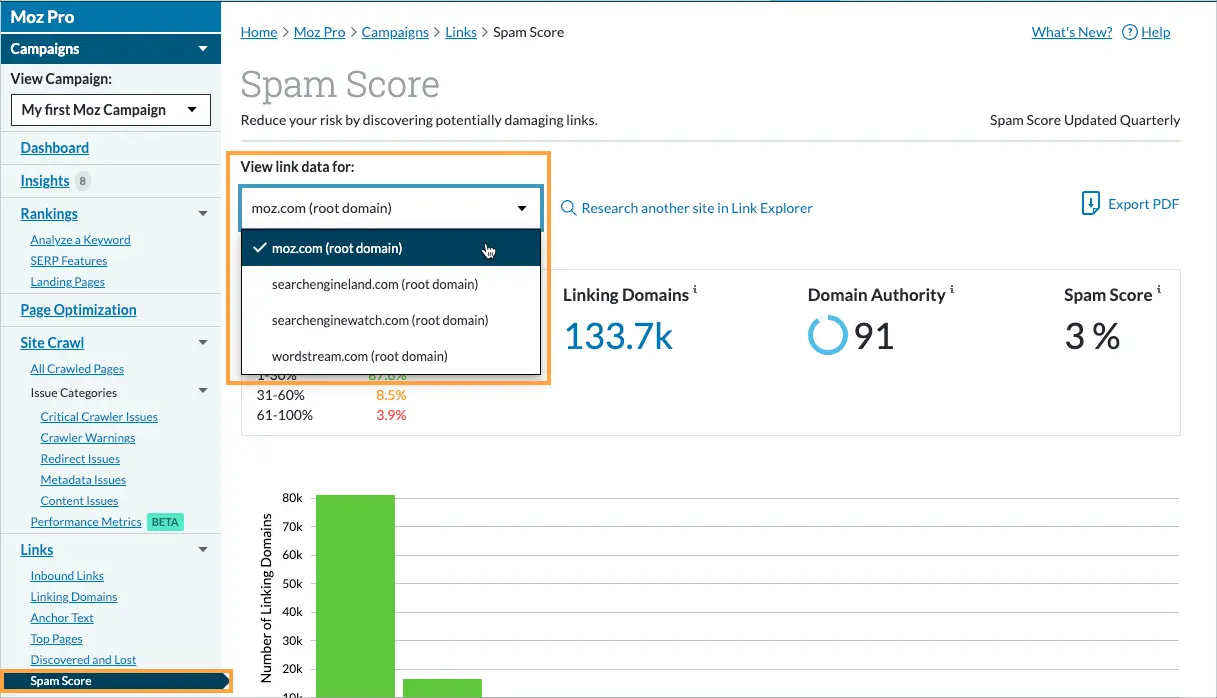
Moz’s Link Explorer provides a Spam Score, an estimate of how closely a linking domain resembles sites that have historically been penalized by Google. Filter your backlinks by Spam Score and focus on domains scoring above 30 percent to build a manageable review list.
Like every automated scoring system, use it to decide what to look at, then apply your own judgment about what actually needs action.
Using a Toxic Backlink Checker
Several standalone tools are built specifically for identifying toxic backlinks. The honest assessment: most rely on the same underlying signals as Ahrefs, Semrush, and Moz: domain authority, TLD patterns, link velocity, and anchor distribution. The difference is mostly in how alarming the presentation looks.
The core limitation of any automated checker is that it cannot evaluate context. A DR 10 link from a real local business that has operated for eight years is completely fine.
A DR 70 link from an expired domain now pumping out irrelevant casino content is not. No tool can reliably make that distinction. Your own judgment is what separates smart decisions from costly ones.
Google Search Console Can Help
Don’t overlook your own GSC data. Here’s what to check:
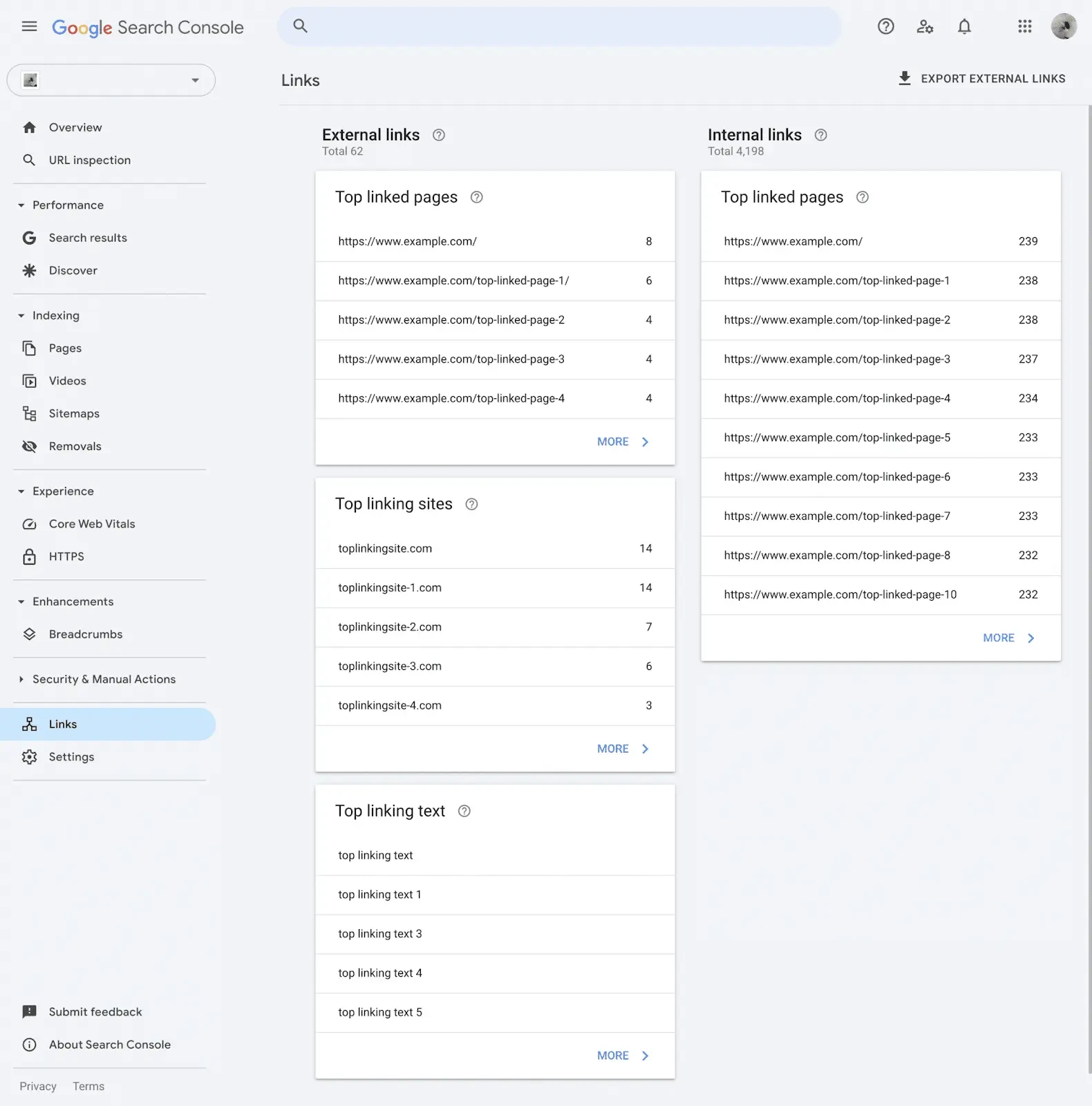
Links report: See your top linking sites and most common anchor text. If something looks off, dig deeper with Ahrefs or Semrush.
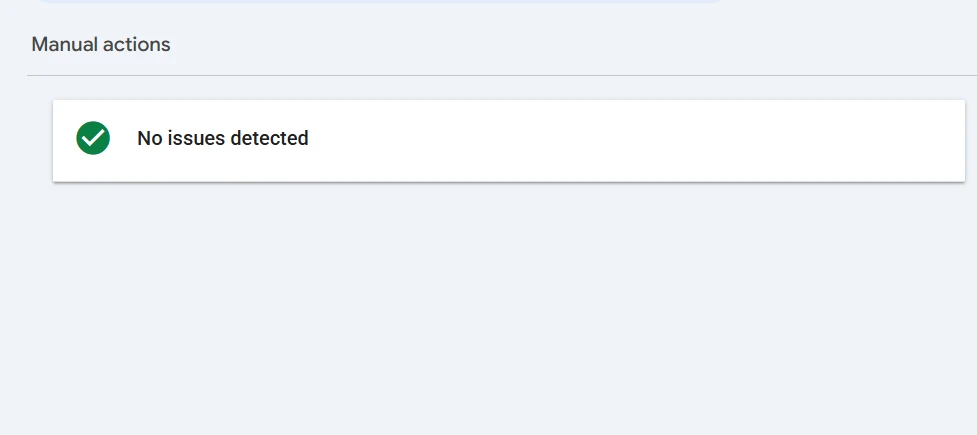
Manual Actions: If Google has penalized your site, you’ll see a notification here, the clearest possible signal your backlink profile needs serious attention.
Performance timeline: Compare your traffic drops in GSC against your Ahrefs link acquisition graph. A sudden ranking drop coinciding with a large link spike often reveals the connection.
How to Disavow Toxic Backlinks?
If your audit has surfaced links that genuinely need to go, here is the correct step-by-step process.
Step 1: Build Your Disavow File
Create a plain text (.txt) file listing the domains or URLs you want Google to ignore. Use a domain-level format for sites where all links look problematic. Use a full URL only when the issue is specific to one page.
# Backlink cleanup – June 2026
domain:spammysite.xyz
domain:linkfarm-example.com
https://specificbadpage.com/your-link-here/
Adding brief comments above each group explaining why you included them is good practice, especially if you revisit the file later.
Step 2: Go to the Disavow Links Tool
Google keeps this tool intentionally difficult to find; they don’t want people using it casually. Access it at:
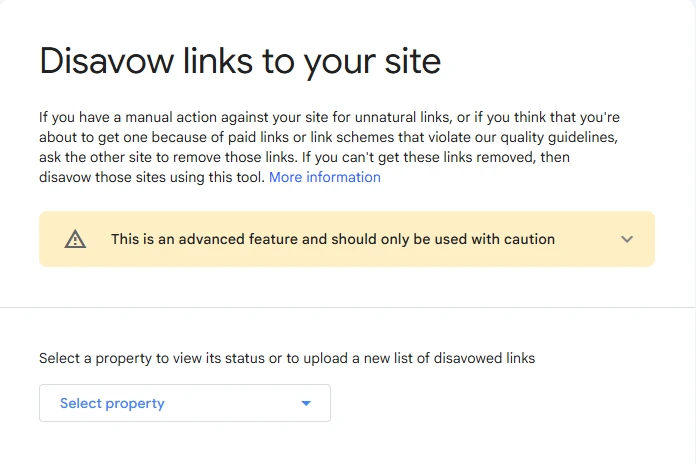
Sign in with the Google account connected to your verified Search Console property.
Step 3: Select Your Property and Upload
Choose the correct domain from the dropdown, upload your prepared .txt file, and Google will confirm receipt. Processing happens over the following weeks; this is not an instant change, so give it time before drawing conclusions about impact.
Always save a copy of every disavow file you submit and document your reasoning. If you need to update it later, knowing what was there originally prevents accidental removal of entries that were serving a purpose.
How to Request Toxic Link Removal?
However, before immediately proceeding to disavowing, trying to have the link removed directly might be a reasonable thing to try. And here is how you do that without making a mess of things:
- Search for some way to contact the owners: You may start with WHOIS or contact pages of the respective websites.
- Write a short and professional e-mail: Identify yourself, provide a link to the specific page with the link in question, and politely ask to remove the link.
- Send one follow-up only if there was no reply within a week. Otherwise, just give up.
- Keep track of your attempts at communication: Date, email address used, any responses, etc. These records might come in handy if someday you decide to fill a Google reconsideration request form.
But don’t waste more than half an hour on each individual link removal attempt. If the website you are dealing with is a spam one, there is nothing the owner can do to help you. Disavow it and proceed.
Common Sources of Toxic Backlinks
Understanding where toxic links typically come from helps you make better decisions going forward and understand how the problematic ones ended up in your profile in the first place.
Negative SEO Attack
A negative SEO attack happens when someone deliberately points large volumes of spammy links at your website to damage your rankings. This is more common in competitive niches.
The typical pattern involves a sudden spike of hundreds of links appearing in a very short window, often with aggressive exact match anchor text, frequently originating from adult, gambling, or other high-spam domains.
Google’s filters handle most of these automatically. But in cases where the volume is high enough, monitoring your backlink profile regularly gives you the ability to respond before the damage accumulates.
Redirects
If an expired domain with a problematic link history gets redirected toward your site, whether intentionally as part of a link scheme or through a purchase made without checking the domain’s history, you inherit those link quality signals.
Check your redirecting domains in Ahrefs under Referring Domains, filter by “redirect,” and evaluate the historical link profile of any domain sending large volumes of redirected traffic your way.
Directory Link Spikes
A few curated, relevant directory listings are completely fine. The problem arises when someone submits your URL to 200 generic directories in a single week. That velocity looks unnatural in your link acquisition graph, and the links themselves carry no real SEO value.
Look for clusters of directory links appearing within short timeframes in your Ahrefs link history.
Buying Hundreds of Links From Fiverr
Bulk link packages from Fiverr, Upwork gigs advertising hundreds of backlinks for a few dollars, and similar low-cost services almost universally deliver PBN links, forum profile spam, or automated directory submissions. These are exactly the pattern-based signals Google’s algorithm is built to detect at scale.
If you or a previous agency ever used these services, a full backlink audit should be near the top of your priority list.
Final Thoughts
Toxic backlinks deserve your attention, but they don’t deserve your panic. The vast majority of spammy links that show up in your backlink profile are already being ignored by Google. What the algorithm is specifically looking for is patterns of deliberate manipulation at scale.
If your profile is generally healthy and you haven’t been engaging in aggressive link schemes, a handful of questionable links is not going to derail your search performance.
The most valuable investment you can make in your backlink strategy is not cleaning up the bad ones. It’s building enough genuinely good ones that the low-quality links become irrelevant by comparison.
Contextual backlinks, editorially earned from real websites in your niche with real traffic are what actually move rankings and protect your site long term.
Audit your profile on a regular schedule, respond thoughtfully to genuine warning signs, and stay focused on earning the kind of links that make your site worth protecting in the first place. That’s the approach that holds up regardless of how Google’s algorithm continues to evolve.
Frequently Asked Questions
Can toxic backlinks hurt my website even if I never built them myself?
They can, though they usually don’t. Google recognizes that site owners can’t control who links to them. The algorithm is designed to ignore most unsolicited low-quality links. The risk becomes more meaningful when the volume is very high or the links appear in coordinated patterns, at which point proactive disavowal becomes a worthwhile step.
How do I know if my site has been penalized because of bad backlinks?
The most direct signal is a manual action notice in Google Search Console under Security and Manual Actions. Algorithmic penalties are harder to pinpoint; they typically appear as a notable ranking drop that coincides with a confirmed Google algorithm update. Comparing your traffic timeline against known update dates helps identify whether an update triggered the decline.
Is disavowing links always the safe choice?
Not always. Disavowing links that were quietly contributing positive signals to your domain will produce a rankings drop. This is exactly why disavowal should follow a careful manual audit rather than a blanket sweep driven by a tool’s automated score. When genuine uncertainty remains, disavow at the domain level only for the most clearly problematic sources.
How frequently should I be auditing my backlink profile?
For most websites, once a month is a reasonable cadence. If you operate in a competitive space where negative SEO attacks are more common—iGaming, finance, or legal—increasing that to weekly monitoring is worth the effort. Both Ahrefs and Semrush offer email alerts for new backlinks, which makes ongoing monitoring much more manageable.
Do nofollow links from spammy sites create problems?
Generally speaking, no. Nofollow links are instructed not to pass link equity, and Google respects that instruction. A very large influx of nofollow spam links can still create an unusual pattern worth noting, but in practice, they are among the lowest priorities in any cleanup effort.
What separates a toxic backlink from just a bad backlink?
A bad backlink is a low-quality link that doesn’t help your SEO, essentially neutral at worst. A toxic backlink has the potential to actively damage your rankings because it’s part of a manipulative pattern, comes from a penalized source, or is connected to a negative SEO campaign. Every toxic link is a bad link, but not every bad link rises to the level of toxic.
Can toxic backlinks pull down my domain authority metrics in tools like Ahrefs or Moz?
They can influence third-party metrics like Domain Rating or Domain Authority. What matters is that Google doesn’t use these proprietary metrics directly in its ranking calculations. A drop in domain authority doesn’t automatically mean your rankings will suffer, and a strong score doesn’t guarantee stability. Your actual organic performance in Search Console is always the most reliable indicator.
Will cleaning up toxic backlinks produce an immediate ranking improvement?
Not right away. After submitting a disavow file, Google needs to recrawl and reprocess your site, which typically takes several weeks. For manual action recoveries, a reconsideration request is also required, adding further time. Treat backlink cleanup as a long-term strategy rather than a quick fix.