
SEO discussions always start with the topic of obtaining links. Indeed, a properly constructed backlink profile can be an effective way of ranking up your website. However, there is another aspect of working with backlinks that should be mentioned since it is just as important, but it is not that visible. It is essential to know when it comes to backlinks, a particular link causes more harm than good, and how to address this issue.
Link disavowal is one of those topics that might appear to be daunting initially. Once it is explained and all the steps are outlined, however, it turns out that disavowing the links is a quite standard procedure. This guide will cover everything from defining a bad link and how to disavow backlinks it yourself.
What is a Link Disavow?
The link disavow means instructing Google to disregard particular links pointing to your website when it comes to evaluating the performance of your website for rankings. In other words, you inform Google about the existence of such links that were not created by you or were not approved by you.
- Background: Created along with the Penguin update in 2012, this instrument serves as an important safeguard for web masters in case they find themselves involved in manipulative link building or undesired links.
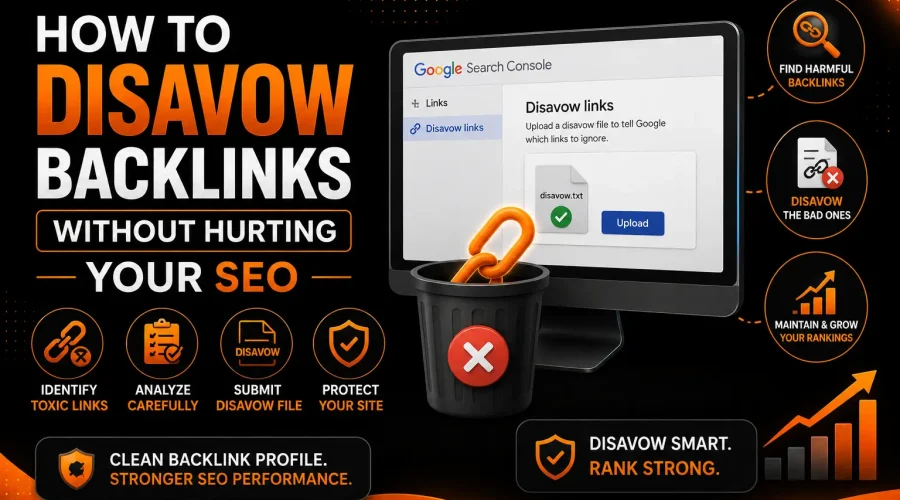
- How It Works: The process consists of uploading a text file through Google Search Console where you list all the links or domain names that you would like Google not to take into account anymore. Once done, these links will continue existing on the internet but will stop affecting your search ratings.
- A Disciplined Approach: Disavow should never be used against your competitor nor as a means to deal with all your links.
Understanding Negative SEO Attacks
While most incoming links are a natural, healthy part of your site’s growth, some links are built with the malicious intent to harm your search visibility. This practice, known as negative SEO, involves competitors intentionally pointing poor-quality, irrelevant, or spammy links toward your site to trigger a Google penalty.
Although rare in most industries, negative SEO does occur in highly competitive markets. Recognizing the warning signs early allows you to defend your rankings effectively:
- Rapid Spikes: A sudden, unexplained jump in referring domains over a short timeframe.
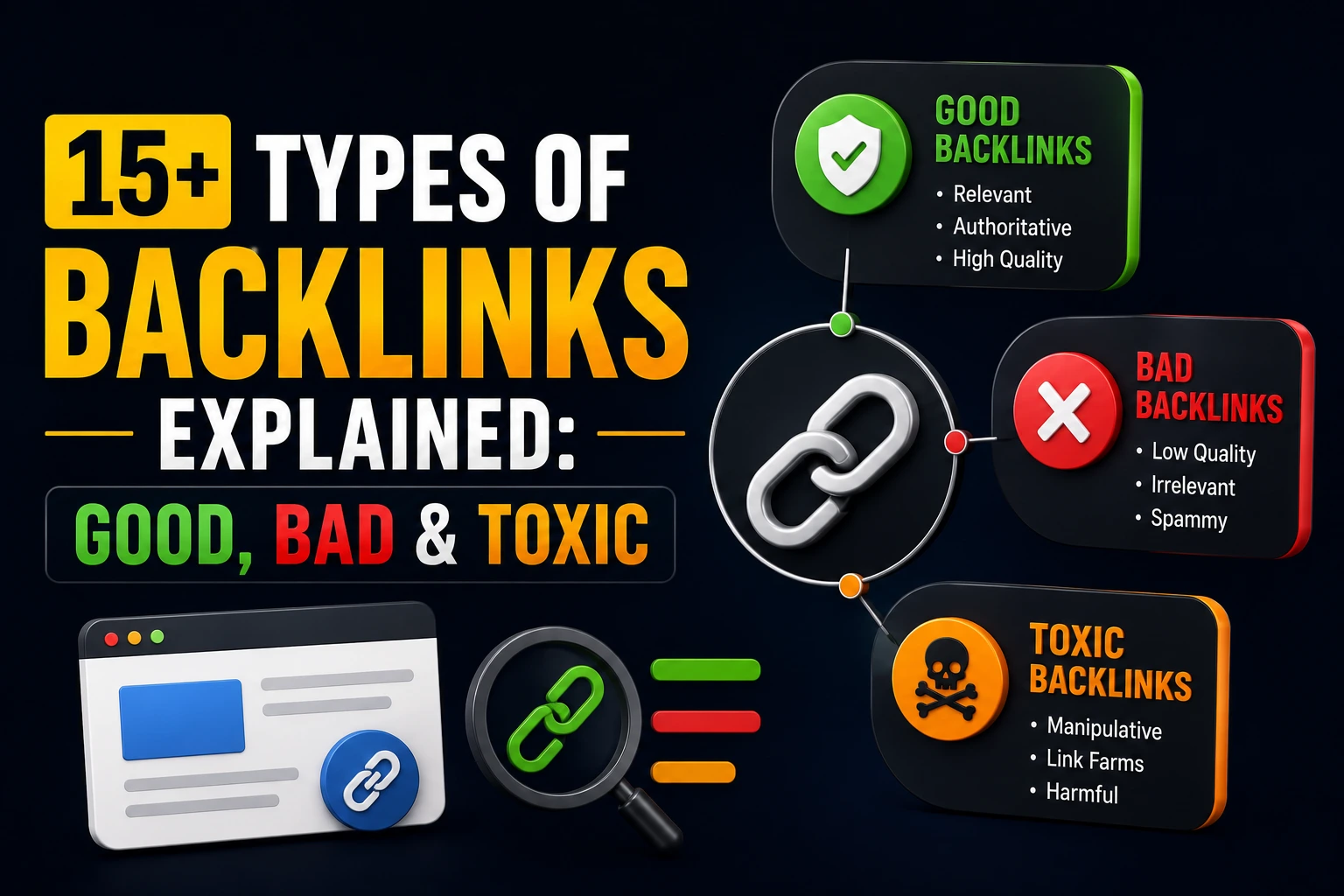
- Low-Quality Sources: Links originating from sites that are unrelated to your industry, lack authority, or are previously flagged as spam.
- Manipulative Anchors: Anchor text that appears mechanical, keyword-stuffed, or entirely nonsensical in context.
Consistent backlink monitoring is your best defense. By spotting these patterns early, you can utilize the disavow tool to neutralize these threats before they cause measurable disruption to your site’s performance.
How to Find Spammy Links
Before anything else can happen, you need a genuinely accurate view of your backlink profile. The tools available for this work are excellent right now, and the whole process is far more approachable than it was in earlier years.
Start With a Full Backlink Audit
The most thorough approach is to gather your backlink data from more than one source. Ahrefs, Semrush, and Google Search Console are each solid choices, and using at least two of them together helps because no single crawler captures every link across the web. Combining data from multiple sources gives you a much more complete and reliable picture.
Pull a full export of your referring domains and go through them methodically. You are looking for anything that stands out as unusual or concerning. The following signals are worth paying close attention to:
- Linking pages with no coherent topic, or pages that appear to cover completely unrelated subjects side by side
- Domains with very low authority scores that show no meaningful organic traffic of their own
- Sites based in unrelated languages or regions that have no reasonable explanation for linking to your content
- Pages whose entire purpose seems to be hosting links rather than delivering any genuine value to readers
- Anchor text that feels heavily keyword-loaded in a way that does not match the tone or subject of the page it sits on
- A significant volume of new links appearing in a very compressed period of time with no identifiable editorial origin
Look for Patterns, Not Just Individual Links
A habit that pays off during audits is stepping back from individual links and looking at what the patterns suggest. A single domain pushing hundreds of links to your site while none of its pages contain content that makes sense alongside yours is a more meaningful signal than one isolated low-quality link from a random URL.
The same logic applies when you spot a cluster of domains that seem to have been registered around the same time, share similar structural characteristics, and are all pointing at the same pages on your site. That kind of coordinated behavior is worth treating as a pattern rather than a coincidence.
Cross-Reference With Google Search Console
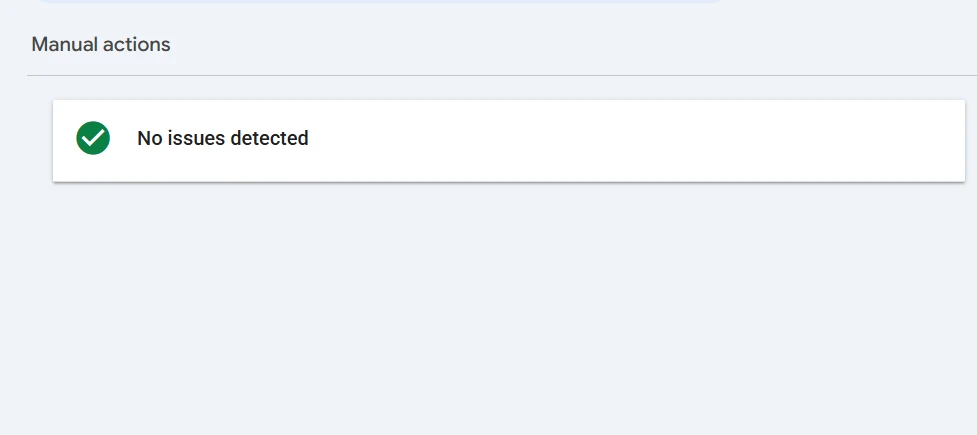
Google Search Console offers a direct window into how Google itself sees your backlink situation. The Links section shows your top linking domains and the anchor texts connected to them. If a manual action has been issued against your site, it will show up in the Manual Actions section, often with specific examples of the links that prompted it.
A manual action is one of the most unambiguous signals that something needs to be addressed. Dealing with the links highlighted in the action and including a disavow file with your reconsideration request is typically the path forward in that situation.
When to Disavow L inks
This is genuinely the most judgment-dependent part of the whole process, and it is where thoughtful SEOs take a beat before acting. The disavow tool carries real weight, and applying it to links that are simply unremarkable rather than genuinely harmful accomplishes nothing useful. In some cases, it can quietly strip away link equity you were not aware you were receiving.
Here are the circumstances where disavowal makes clear and practical sense:
A manual action has been issued. When Google formally flags your site for unnatural links, disavowing the identified links is a core part of addressing that penalty. This is the most straightforward case for using the tool.
Your site has a history of link building that did not meet current standards. If links were once acquired through schemes, Private Blog Networks (PBNs), link networks, or methods that sit outside Google’s guidelines, taking steps to clean those up proactively is worthwhile. Doing so before launching any new outreach is an especially smart move.
Your rankings have dropped in a way that your audit connects to a wave of low-quality links. When the timeline of a ranking decline lines up with a surge in suspicious links, addressing those links is a reasonable part of the recovery effort.
The signs of a negative SEO attack are present. When monitoring tools surface a rapid build-up of spammy links from domains you have no connection to, moving quickly to add those domains to a disavow file is a sensible protective step.
At the same time, if your links are simply coming from smaller or less authoritative websites rather than from sources that are actively creating problems, disavowal is very likely not the right move. A link that adds no particular value is a very different situation from one that is working against you.
How to Disavow Backlinks? 5 Easy Steps
With the problematic links identified, the actual process of disavowing them is quite manageable. Here is a complete walkthrough of every step.
Step 1: Try to Get the Links Removed Directly
The first move before touching the disavow tool is to contact the webmasters of the sites hosting the links and ask for removal. Google has long recommended this as the preferred first step, and a link that is actually taken down is a cleaner resolution than one that is simply disavowed. Response rates on these requests tend to be low in practice, so give it a couple of weeks, keep a record of your outreach, and then move forward regardless of the outcome.
Step 2: Build Your Disavow File
Your disavow file is a plain text document with a .txt extension that lists every URL or domain you want Google to treat as invisible. The formatting is simple, and following it exactly matters for the file to be read correctly.
To cover an entire domain, the format looks like this:
domain:example.com
To address a specific page rather than the full domain, list the complete URL on its own line:
https://www.example.com/specific-page
You can include notes for your own reference by starting a line with a hash symbol. Google does not process these lines:
# This domain was added because of bulk spammy links with no relevant content
A few practical formatting reminders: every entry gets its own line, the file should be saved in UTF-8 or 7-bit ASCII encoding, and the size ceiling is 100,000 lines and 2MB. Almost every site will be comfortably within those boundaries.
Step 3: Upload the File Through Google Search Console
When your file is ready, open the disavow links tool in Google Search Console, select the correct property, upload the file, and confirm. Google will acknowledge the submission, and the file will remain accessible in your account.
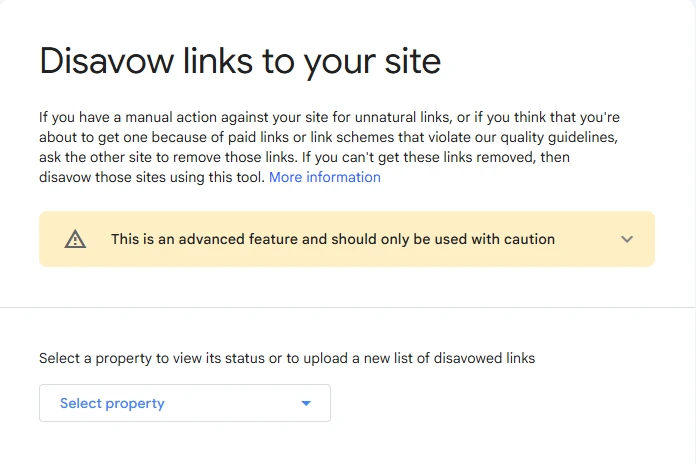
Processing happens across Google’s regular crawl cycles, so do not expect an immediate change. Several weeks may pass before the effects are fully reflected in how your site is evaluated.
Step 4: Keep the File Current
Your disavow file is a document that grows alongside your link profile. New links will appear over time, and some of them will warrant inclusion. Revisiting the file as part of your regular audits and updating it when needed keeps your profile well maintained on an ongoing basis. Removing an entry is as simple as editing the file and reuploading it through Search Console.
Step 5: Submit a Reconsideration Request When Applicable
If you are disavowing links as part of a response to a manual action, a reconsideration request through Google Search Console is the next step after your file is uploaded. The request should clearly explain what you found, what outreach you conducted, and what you submitted. Google’s team will review it and lift the manual action once they are satisfied with what has been done.
Maintaining a Healthy Link Profile
Disavowing backlinks is only one component of the overall need for you to treat your link profile seriously and keep it in order. By approaching the matter in this manner, it will not become an issue that has to be managed through crisis mode but rather something that should be a standard practice for managing your well-taken-care-of website.
The Google Disavow Links tool is relatively easy to use when compared to other tools and functions offered through Google Search Console. Used responsibly, this tool will give you back the control of how your website is evaluated, and this kind of control cannot be undervalued in any business environment.
Create quality links and, avoid practices such as link farming, maintain consistent monitoring along with cleaning your link profile whenever needed with the same consideration that you put into all other aspects of your SEO strategy.
Frequently Asked Questions
Does rejecting backlinks affect rankings?
No, not in a direct manner. Rejecting backlinks isn’t the same as creating new ranking signals; rather, it involves removing links that could harm your website’s rankings, and if that’s the case, your rankings will return to their normal levels as a result.
How long does it take for disavow to have an effect on my site?
Several weeks to two months is normally the timeframe needed for this process because Google takes care of it during its usual crawling cycles. The best thing you can do here is submit your file quickly and monitor your progress throughout this period.
Should I disavow a whole domain or certain URLs?
A whole domain should always be preferred when it comes to disavowing. In case you have multiple bad backlinks coming from a particular domain, submitting one single line in your disavow file will take care of everything for you.
Does disavowal sometimes cause accidental damage to useful links?
This could happen if the audit was not properly done. The only way to avoid such an accident is to conduct a proper pre-submission audit. In case there is a disavowed link accidentally included in the list, fixing it is easy, as you simply need to edit the file and upload it again through Search Console.
How often should I refresh the disavow file?
Checking this file after every couple of months as part of the audit process makes sense for the majority of websites. In other words, keeping this file dynamic rather than static helps you maintain your profile always neat and free from mistakes.
What is the difference between manual action and algorithmic effect?
The first one is performed by the human reviewer at Google who gives out a notification about it in Search Console. The second one is done automatically by some algorithm. For example, Penguin. Both can affect your ranking in search results, but the manual one requires you to send a request for reconsideration, whereas the algorithmic effect fades over time.
Should I disavow links if there is no manual action yet?
Yes, in case your audit detects low-quality or spammy links that match the criteria. That’s the right approach to deal with the situation. You don’t need to wait for the penalty first. It’s better to act proactively in advance to have more peace of mind.
How will my disavow list be affected by changing domains?
Disavow files belong to a specific site in Google Search Console. A change in the domain requires the creation of a new disavow file for the new site. It might be a good idea to perform a new audit to update the disavow list according to your current backlink profile.