
Internal linking is the foundation of your website. While many people just concentrate on obtaining backlinks from outside sources, your ranking is frequently influenced by how you link to your own pages. The path markers that guide Google to your most crucial content are internal links, if Google were a hiker.
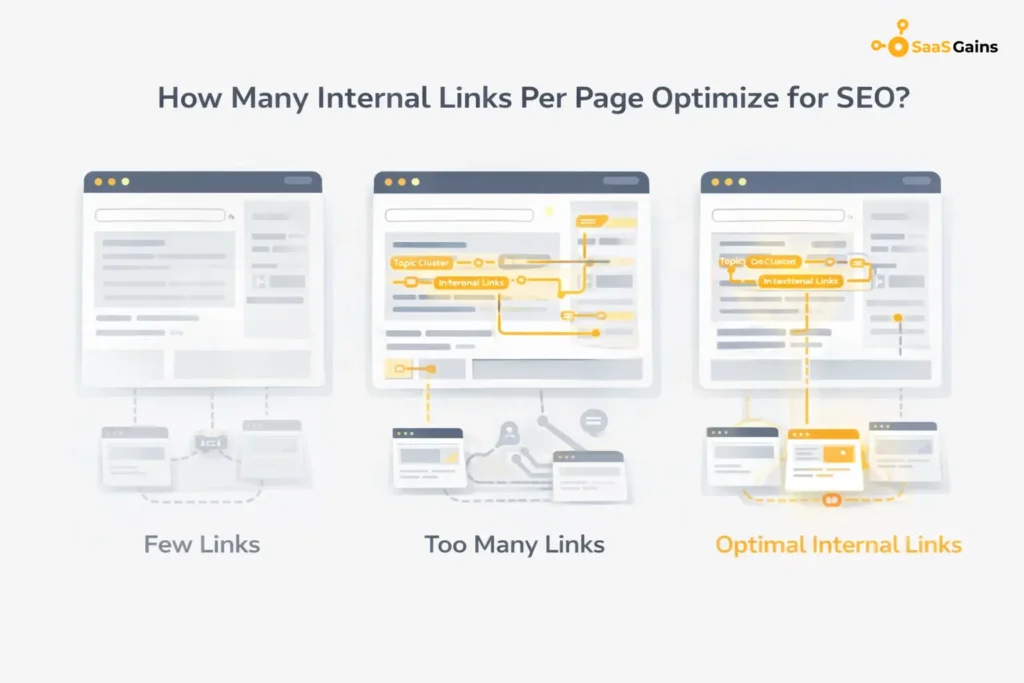
However, a frequently asked question still stands: how many internal links are too many per page? Insufficient additions result in pages that are “orphans” that search engines are unable to locate. If you include too many, your link authority will be diluted and the user experience will be cluttered. This article will provide the precise plan for optimizing your search exposure while maintaining a balance in the number of links you use.
Why Internal Linking is Crucial for Growth?
Internal links are effective SEO techniques that are used for more than just navigation. They enable you to inform Google about the most valuable pages on your website. A new service site gains “authority” when it is linked from a popular blog article, which raises the new page’s search engine ranking.
Expert Insight: “Internal links are important because they can help Google understand and rank your website better. By giving Google links to follow along with descriptive anchor text, you can indicate to Google which pages of your site are important, as well as what they are about.” — Moz
Key Benefits of a Good Link Structure:
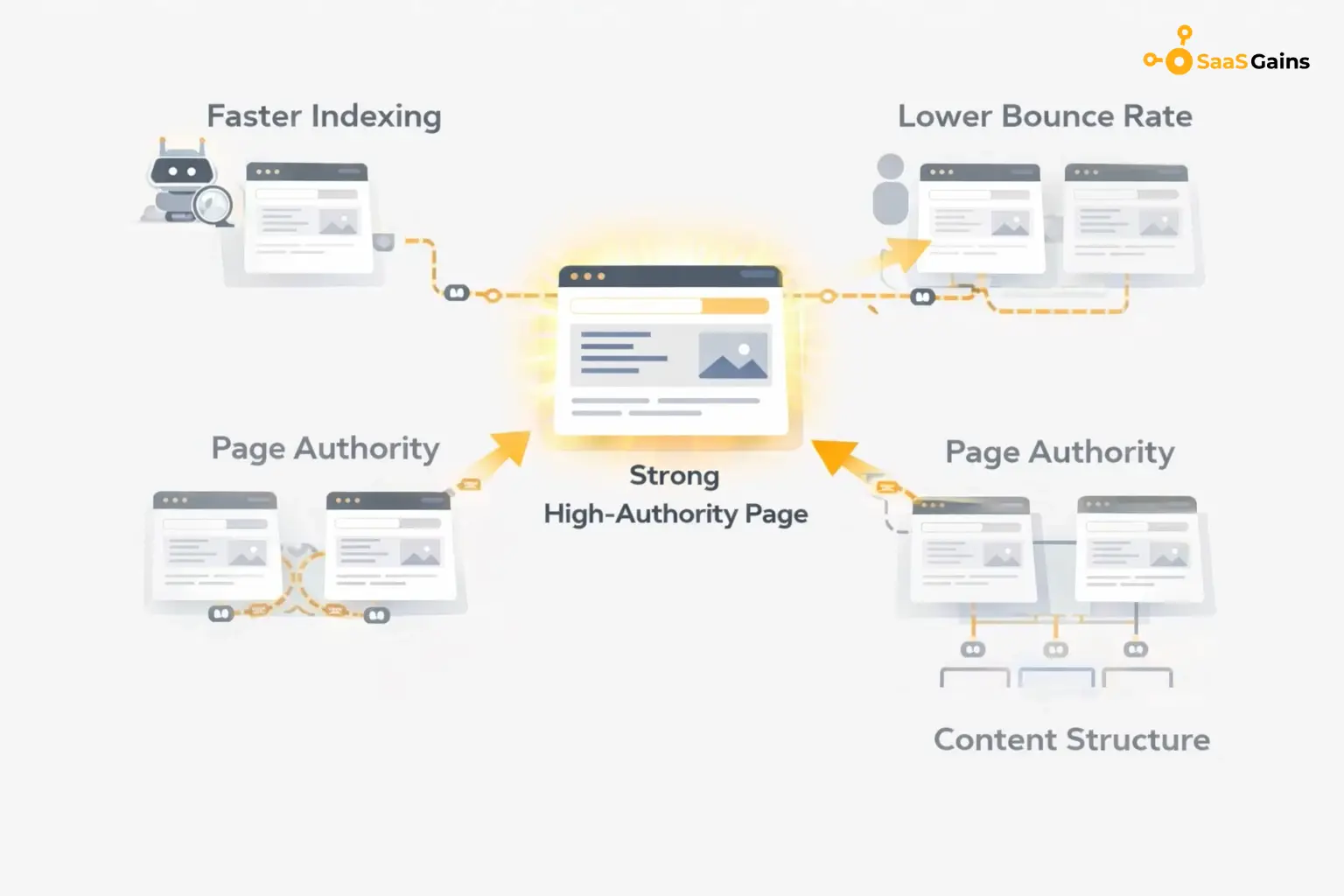
- Faster Indexing: The bots of a search engine can find your new content much faster.
- Lower Bounce Rates: Relevant links encourage users to read more content from your site.
- Better Page Authority: “Link juice” can be shared with your lower-ranking pages from your high-ranking ones.
- Organized Content: It helps Google understand the relationship between different topics on your site.
Finding the Right Number of Links
There isn’t a single “magic number” that applies to every website. However, the industry standard follows a logic based on content depth and user value. You want to provide enough paths for the reader to explore without turning your article into a “link farm.”
Suggested Link Counts by Content Type
| Page Type | Recommended Internal Links | Goal of Linking |
| Short Blog (500 words) | 2–4 Links | Keep users on the site after a quick read. |
| Standard Post (1,200 words) | 5–8 Links | Build topical authority and define the hierarchy. |
| Pillar Page (2,500+ words) | 12–20 Links | Distribute “link juice” to all subtopic articles. |
A good rule of thumb is to look at your word count. Aiming for one link every 150 to 200 words usually keeps the flow natural. This ensures that how many internal links per page you use feels like a helpful suggestion rather than a spammy tactic.
Why “Link Equity” Matters More Than Numbers?
When we talk about how many internal links per page SEO benefits, we are really talking about “link equity.” Think of your page authority like a glass of water. Every time you link to another page, link equity. “You pour some of that water into a new glass.
If you have too many internal links, SEO value gets spread too thin. None of the pages you link to receive enough “strength” to move the needle in rankings. By being selective, you ensure that your most important “money pages” get the highest concentration of authority.
How Google Views Your Links:
- Placement: Links in the main body text carry more weight than links in the footer or sidebar.
- Relevance: A link to a related topic is worth much more than a random link.
- Anchor Text: The words you use for the link help Google understand the destination page.
Avoiding the “Too Many Internal Links SEO” Trap
Search engines are smart enough to recognize when a page is being over-optimized. If your content is filled with blue underlined text in every sentence, it sends a negative signal. This isn’t necessarily a manual penalty, but it hurts your “User Experience (UX) Signals.”
Too many internal links will make the SEO crawler “distracted.” It may use up its “crawl budget” on low-priority pages rather than on your brand-new high-priority ones. Remember, the question to be asked is, “Does this help the user understand the topic?” If not, don’t add it.
SEO: Multiple Links to the Same Page
Many think that the URL should be repeated three times in a single post to rank faster, but this is another major failure in SEO steps. In reality, when there are multiple SEO links to the same URL, Google will only count the anchor text in the first URL.
Instead, use the opportunity to reference another resource. This creates a broader “web” of information on your website, and it is more effective for ranking. If you are forced to link to the same page twice, at least use the second one as an image to maintain a high degree of user experience.
Understanding Incoming vs. Outgoing Links
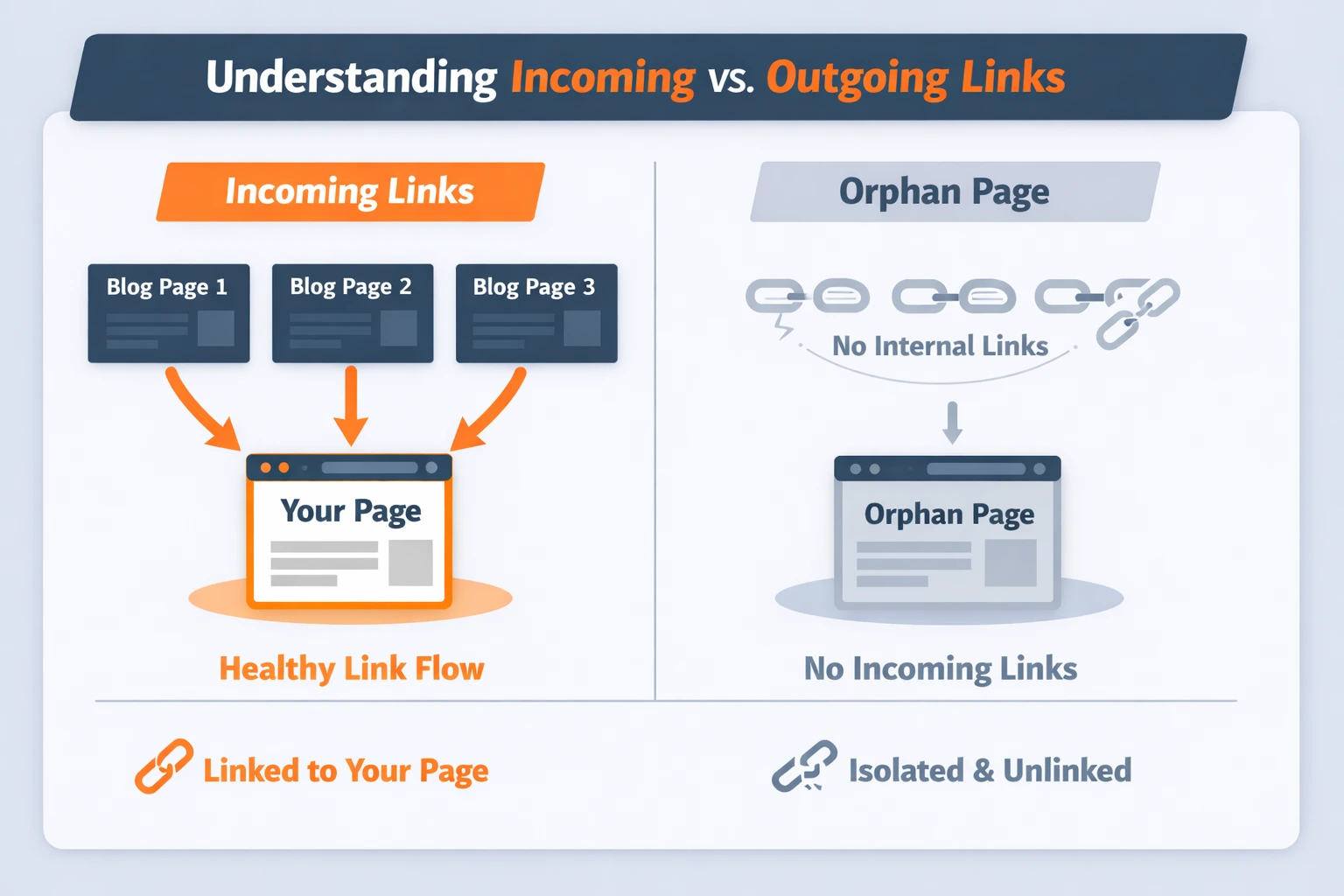
It is easy to obsess over how many links are leaving your page, but you also need to track how many incoming links a specific page is receiving.
A page that has zero incoming links is known as an “orphan page.” Even if the content is world-class, Google will struggle to rank it because there are no internal paths leading there. For your most important service or product pages, ensure you have a healthy number of incoming links from your high-traffic blog posts.
Practical Steps to Optimize Your Linking
Start by identifying your “Power Pages”—the ones that already have high traffic. Use these pages to link to your newer or lower-ranking content. This passes authority from your “winners” to your “underdogs.”
- Audit Your Links: Use a tool like Google Search Console to find pages with low internal support.
- Fix Broken Links: A link that leads to a “404 Error” kills your SEO and frustrates users.
- Use Descriptive Keywords: Don’t just link “here.” Link words that describe the target page.
- Keep it Natural: If a link doesn’t fit the sentence, don’t force it.
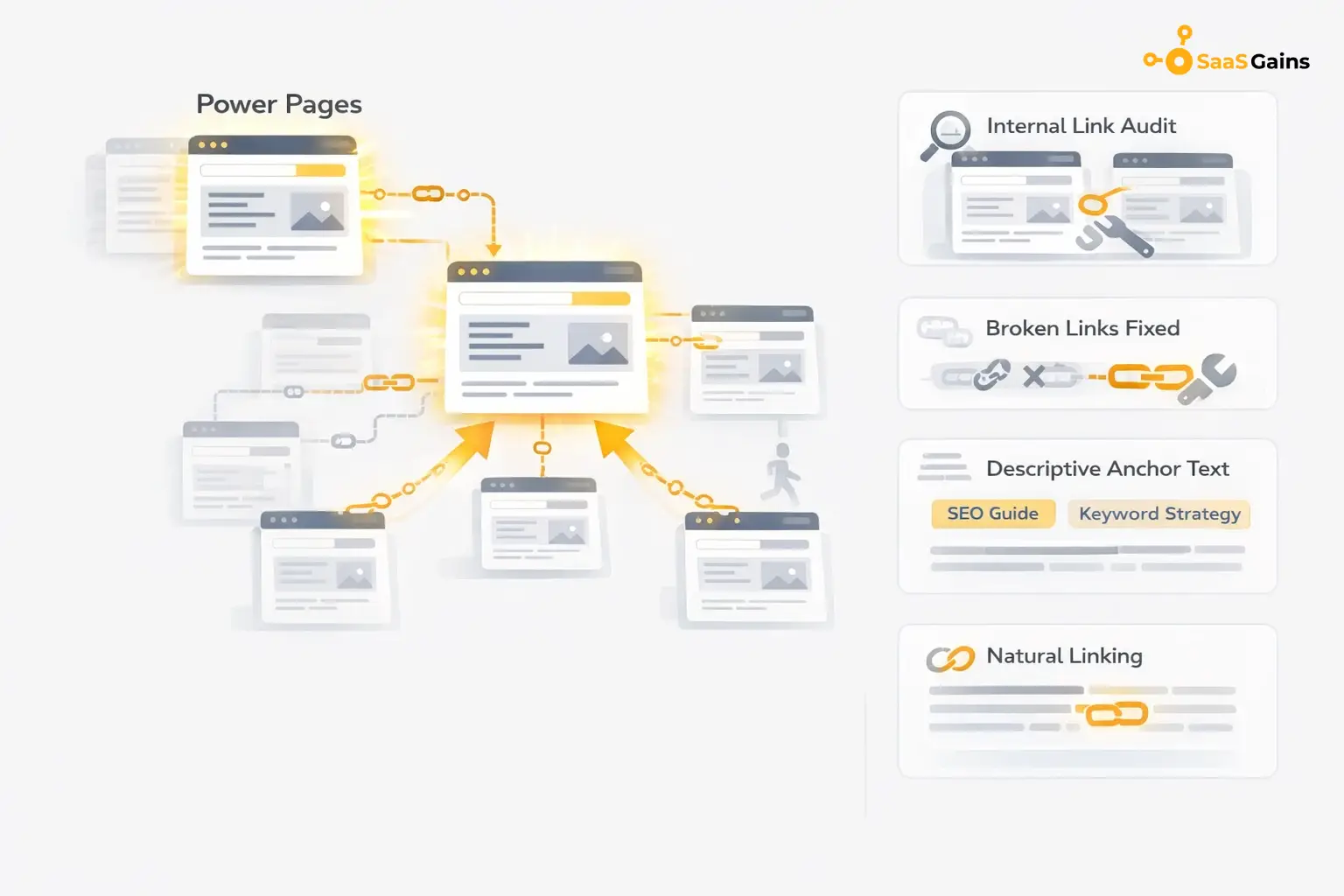
Next, look at your anchor text. Avoid using generic phrases like “click here” or “read more.” Instead, use descriptive keywords that tell the user (and the algorithm) exactly what is on the other side of the link. For example, use “guide on how many internal links per page” instead of a vague “SEO tips.”
Common Myths About Internal Linking
Many people believe that links in the sidebar or footer carry the same weight as links within the body text. This is a myth. Google prioritizes “editorial links” the ones found naturally inside your paragraphs.
Another myth is that you should “nofollow” your internal links to save link juice. You should almost never do this. Internal links should always be “dofollow” so the search engine can move freely through your site and understand your content relationships.
Final Thoughts
Optimizing how many internal links per page is about quality over quantity. Focus on building a logical path for your users. If you make it easy for a human to find related information, search engines will naturally reward you with better rankings. Keep your links relevant, use descriptive anchor text, and regularly audit your site for broken paths.
FAQs
Is there any limited number of internal links I can have per webpage?
From a technical perspective, Google will handle several thousand links, but for optimal results, try to keep your number of internal links on the page under 150 total (including your menu).
What are the effects of having too many internal links?
Too many internal links within a website weaken SEO power, which makes it difficult for the “money pages” to rank appropriately.
Does the location of the link matter?
Yes, links within higher-placed positions within the content are proven to be more successful compared to links found within the footer.
How do I find pages without any links pointing to them?
You might also make usage of tools such as Google Search Console to identify “Orphan Pages” that lack the number of incoming links they require to be found.
Should I include a link to my homepage in every post?
Normally, your logo will already link to the homepage, so you do not need to provide an additional link in the text.